Before you register: verify you are on the real site
Ninety percent of account theft happens before login, not during it — on a convincing fake page that harvests whatever you type. So the first skill is not "how to register", it is "how to be sure this is actually Zonda." Attackers buy search ads, register look-alike domains, and send urgent emails that link to pixel-perfect clones.
- Reach the site by typing the official address by hand or using your own bookmark — never through an email link, DM or ad.
- Check the domain character by character. Look-alikes swap letters, add words, or use odd extensions.
- Confirm HTTPS and a valid certificate, but remember HTTPS alone does not prove legitimacy — phishing sites use it too.
- Be suspicious of any "urgent action required" message. Urgency is the phisher's favourite lever.
⚠ This site is not the login page. Zonda-Crypto.xyz is an independent guide. To actually register or log in, go to the official zondacrypto.com site directly. We will never ask for your password, 2FA code or any wallet seed phrase — and neither will the real Zonda.
Internalize one more thing: there is no seed phrase for a Zonda exchange account. It is a custodial account secured by credentials and 2FA, as explained on our wallet page. Any page that asks you to "connect" or "validate" a wallet by entering a 12- or 24-word phrase to log in to Zonda is stealing your self-custody funds. Close it.
Registration, step by step
Once you are certain you are on the genuine site, signing up is straightforward. Take it slowly and get the security right the first time.
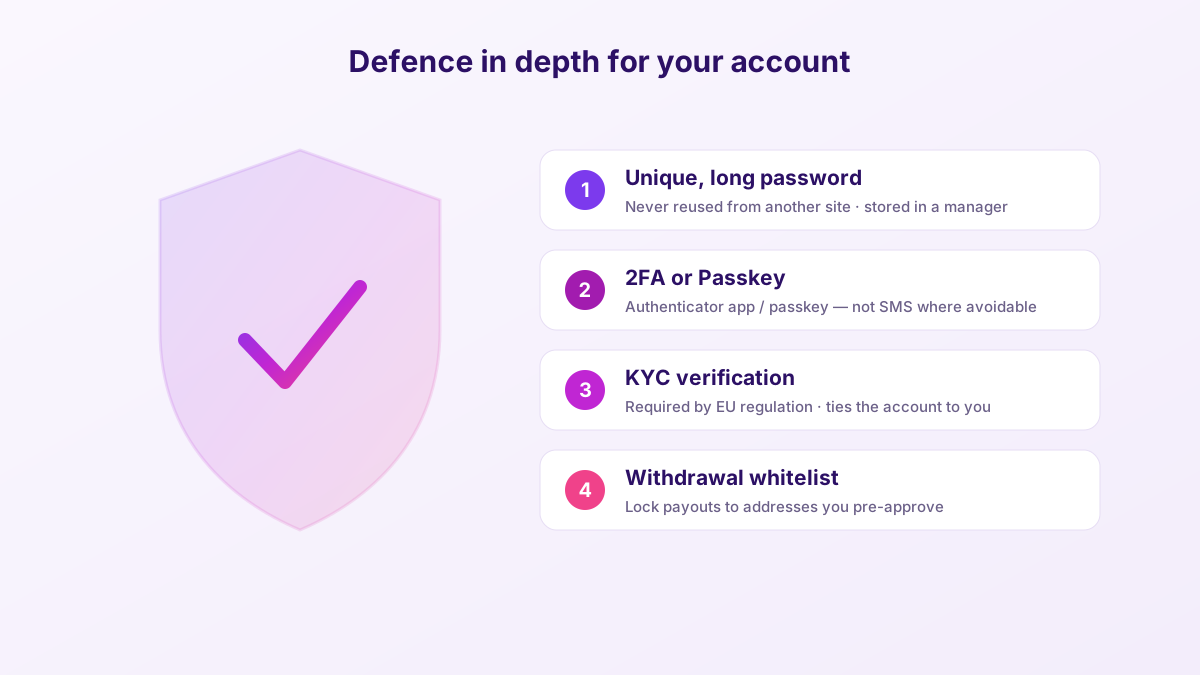
- Start the sign-up with your email address and a unique, long password. Generate and store it in a password manager — do not reuse a password from any other service.
- Confirm your email via the verification link. Check the sender carefully; if you were not expecting it, navigate to the site manually instead of clicking.
- Enable 2FA immediately — before depositing. Use an authenticator app or a passkey rather than SMS where possible. Save any backup codes offline.
- Complete KYC. As a regulated EU exchange, Zonda requires identity verification: a government ID and often a selfie or liveness check. This is normal and legally required.
- Review account settings — set a withdrawal whitelist if available, and note the anti-phishing options.
Only after all of that should you fund the account. The order matters: an unfunded account is a low-value target, so locking it down before there is money inside is the safest sequence.
Register once, secure it properly
The safest account is one you locked down before funding: unique password, 2FA, verified identity. Compare a regulated exchange and set it up the right way from the first login.
Open a regulated accountSetting up 2FA and passkeys the right way
Two-factor authentication (2FA) means that even if someone steals your password, they still cannot log in without a second factor. It is the single highest-impact security setting on any exchange, and it takes two minutes.
Zonda supports authenticator-app 2FA (such as Google Authenticator) and passkeys, a newer, phishing-resistant method tied to your device's biometrics or PIN. Here is how to think about the options:
| Method | Security | Notes |
|---|---|---|
| Passkey | Strongest | Phishing-resistant; tied to your device. Use it if offered. |
| Authenticator app | Strong | Time-based codes; works offline. Save the backup/seed for the 2FA app itself. |
| SMS 2FA | Weakest | Vulnerable to SIM-swap. Use only if nothing better is available. |
When you set up authenticator 2FA, you will be shown a secret key or QR code. Back that up offline — if you lose your phone without a backup, recovering access is far harder. A common mistake is enabling 2FA, wiping or losing the phone, and being locked out with no backup codes. Do not be that person.
Logging in on desktop with QR code
On a computer, Zonda offers a QR-code login: instead of typing your password on the desktop, you scan a code shown on screen using the already-authenticated mobile app. It is quick and reduces how often your password is exposed on a keyboard that might be logged.
The flow is simple: open the login page on desktop, choose QR login, open the app on your phone, and scan. The one rule that matters: only ever scan a QR code on a page you reached yourself, by typing the URL or using your bookmark. Scanning a login QR from a link someone sent you can hand your session straight to an attacker. Treat a login QR with the same caution as your password.
For everyday desktop trading, the browser platform is the main interface (there is no official standalone desktop app — see the app guide). Keep the mobile app installed alongside it for QR login, alerts and 2FA.
What KYC collects — and what it means for your privacy
KYC ("Know Your Customer") trips up a lot of newcomers who arrived expecting crypto to be anonymous. On a regulated EU exchange like Zonda it is not, and it cannot be — anti-money-laundering law requires it. Understanding what is collected and why makes the process less unnerving and helps you spot when someone is asking for too much.
A standard verification typically asks for your full name, date of birth, address, and a government-issued photo ID (passport, national ID card or driving licence), often paired with a selfie or a short liveness check to prove the ID is yours. Higher deposit or withdrawal limits sometimes require additional proof, such as a recent utility bill or proof of source of funds for large amounts. This is normal and consistent across compliant European platforms.
Two privacy realities worth naming honestly. First, once you complete KYC, your identity is tied to your on-exchange activity — this is the trade-off for using a regulated fiat on-ramp, and it is also why regulators can offer you some protection. Second, the EU's DAC8 directive, effective 1 January 2026, expands automatic tax reporting of crypto activity between authorities; your transactions on regulated platforms are increasingly visible to tax authorities by design. None of this is sinister, but you should go in with clear eyes rather than a false sense of anonymity.
⚠ KYC is done once, inside the official platform. If a page, email or "agent" asks you to re-verify your identity through an unexpected link — especially with urgency — treat it as phishing. Re-verification, when genuinely needed, happens inside your logged-in account, not via a link someone sent you.
New devices, travel and active sessions
Logging in from a new phone, a new laptop, or a different country can trigger extra security checks — an email confirmation, a fresh 2FA prompt, or a temporary hold on withdrawals. This friction is a feature, not a bug: it is the platform noticing that something changed. Expect it when you travel, and do not panic when it happens.
A few habits keep multi-device life smooth and safe:
- Review active sessions periodically in your security settings and log out anything you do not recognise.
- Never log in on public or shared computers — keyloggers and saved sessions are exactly how accounts leak. If you must, use the app's QR login rather than typing your password.
- Keep your authenticator app synced across a backup so a lost phone does not lock you out while travelling.
- Treat "new login detected" emails seriously — if it was not you, change your password from a clean device and revoke sessions immediately.
- If you use API keys for tools or bots, scope them tightly (no withdrawal permission unless essential) and delete keys you no longer use.
The pattern behind all of this is the same one that runs through every page on this site: the platform gives you good tools, but you have to actually use them. Two minutes in the security settings today saves a very bad afternoon later.
Locked out? A calm recovery checklist
Because a Zonda account is custodial, recovery is possible — unlike a lost self-custody seed phrase, which is permanent. That is one of the genuine upsides of the custodial model. If you cannot get in, work through this in order:
- Forgot password: use the official password-reset flow from the genuine site. Never follow a reset link you did not request — that is a classic phishing setup.
- Lost 2FA device: use your saved backup codes. No backup codes? Contact official support and expect an identity-verification process — that friction exists to protect you.
- Suspect compromise: from a clean device, reset your password, revoke sessions, check withdrawal settings, and contact support immediately.
- Verify support channels: use only the contact routes listed on the official site. "Support" agents who DM you first are impostors, every time.
⚠ Real support never asks for your password, full 2FA seed, or a wallet seed phrase. Anyone who does is an attacker. Slow down, verify the channel, and never let urgency push you into sharing a secret. When in doubt, stop and go to the official site directly.
The best recovery is the one you never need. Save your backup codes offline, keep your email account itself locked down with 2FA (it is the master key to everything), and you will rarely see this checklist again.
Sign-in security, honestly
What is reassuring
- Full 2FA plus modern, phishing-resistant passkeys.
- QR-code desktop login reduces password exposure.
- Custodial recovery is possible if you lose access.
- KYC ties the account to you, deterring casual takeover.
What needs your attention
- Phishing is the real threat — the platform cannot fix a fake page you visit.
- Lose your 2FA with no backup and recovery gets slow.
- KYC verification can take time under load.
- SMS 2FA, if used, is weak against SIM-swaps.
The tooling is genuinely good; the weak link is almost always human. Verify the URL, use a passkey or authenticator app, back up your codes, and you have closed the doors attackers actually use.
Frequently asked questions
How do I register for a Zonda Crypto account?
On the official zondacrypto.com site, sign up with your email and a strong unique password, confirm your email, enable 2FA, and complete KYC identity verification. Only fund the account after 2FA is on. This site is an independent guide, not the registration page.
How do I log in to Zonda safely?
Reach the site by typing the URL or using a bookmark, never an email link. Log in with your password and 2FA, or use QR-code login on desktop by scanning with the authenticated app. Verify the domain character by character first.
What is Zonda QR-code login?
A desktop sign-in method where you scan an on-screen QR code with the already-logged-in mobile app instead of typing your password. Only scan QR codes on pages you reached yourself — never from a link someone sent you.
I lost my 2FA device — can I recover my account?
Yes, because the account is custodial. Use your saved backup codes, or contact official support and complete identity verification. Real support never asks for your password or a seed phrase. This is why you should back up 2FA codes offline when you set them up.
Does Zonda login use a seed phrase?
No. A Zonda exchange account is secured by credentials and 2FA, not a seed phrase. Any page asking for a 12- or 24-word phrase to "log in" or "validate a wallet" is phishing aimed at your self-custody funds. Close it immediately.
Why do I have to do KYC to use Zonda?
Zonda is a regulated EU exchange, so identity verification is legally required before trading or withdrawing. Have a government ID ready; timing depends on demand. It also helps protect your account from anonymous takeover.