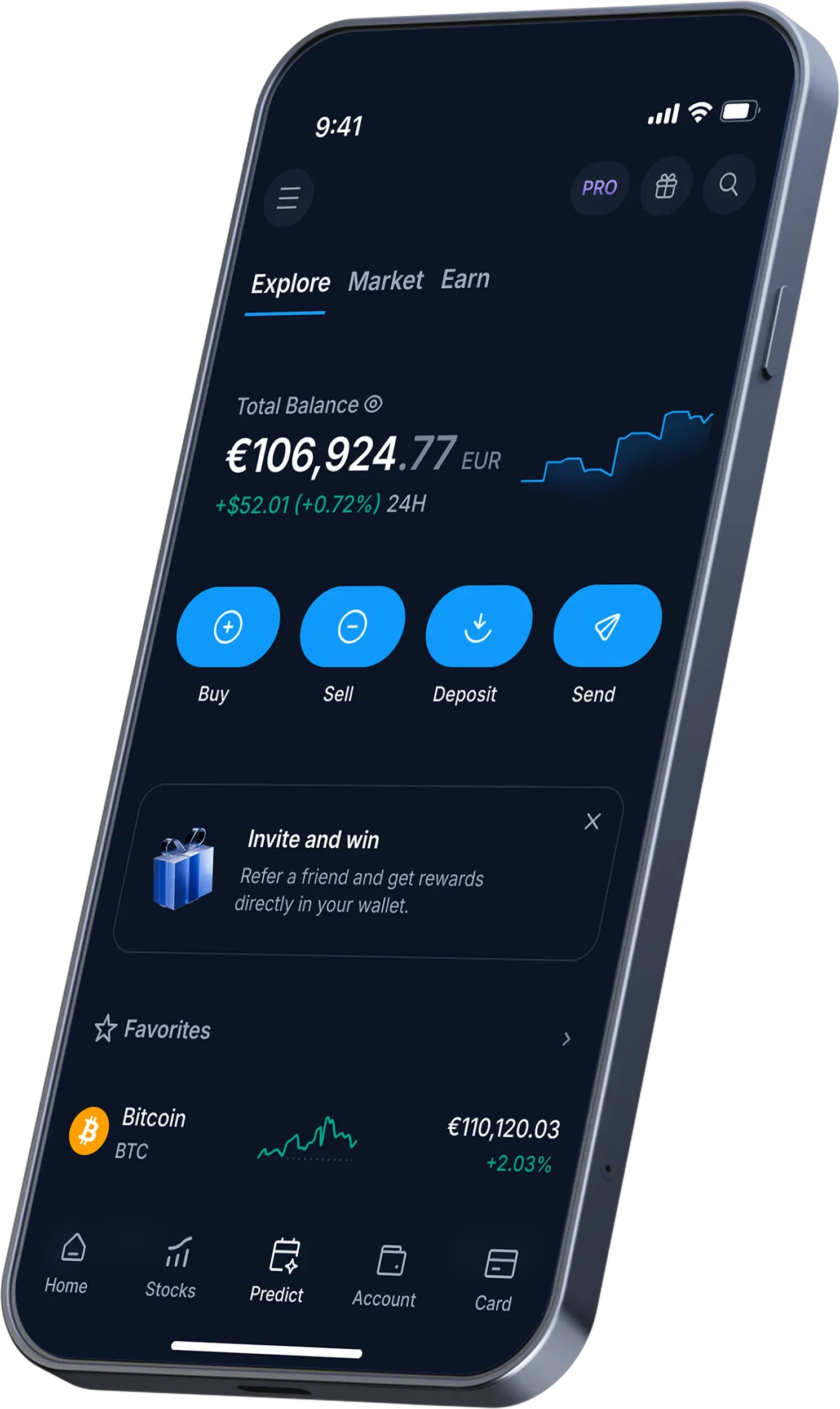
Three things people call "the Zonda wallet"
The word "wallet" is doing a lot of work in crypto, and on Zonda it points to a few different things. Getting them straight is the whole point of this page, because the security model of each is completely different.
- The exchange wallet (custodial). When you buy crypto on the Zonda exchange, it lands in a balance the platform controls. This is your everyday "wallet" on Zonda. It is custodial: the private keys belong to the exchange, not to you.
- The ZND Wallet. Part of the ZND platform bundle (alongside ZND Trade, Staking and Earn), aimed at simpler in-app management. It is still within the Zonda ecosystem — convenient, integrated, and not the same thing as a wallet where you alone hold the seed phrase.
- A self-custody wallet. A separate app or device — MetaMask, Trust Wallet, a Ledger or Trezor — where you generate and hold the keys. Zonda does not run this; you do. This is where long-term savings belong.
Confusing the first two with the third is the mistake that hurts. On an exchange wallet you are trusting the platform's security and solvency; in self-custody you are trusting your own backups and discipline. Both are valid tools — but only one of them is truly yours. The rest of this guide shows how to use the custodial side well and when to graduate to the self-custody side.
The custodial truth: "not your keys, not your coins"
There is an old crypto saying — "not your keys, not your coins" — and it is not a slogan, it is a description of how ownership works. On a custodial exchange wallet, what you actually hold is a claim against the platform. In normal times that claim behaves exactly like ownership: you can trade, withdraw and spend freely. The difference only shows up under stress.
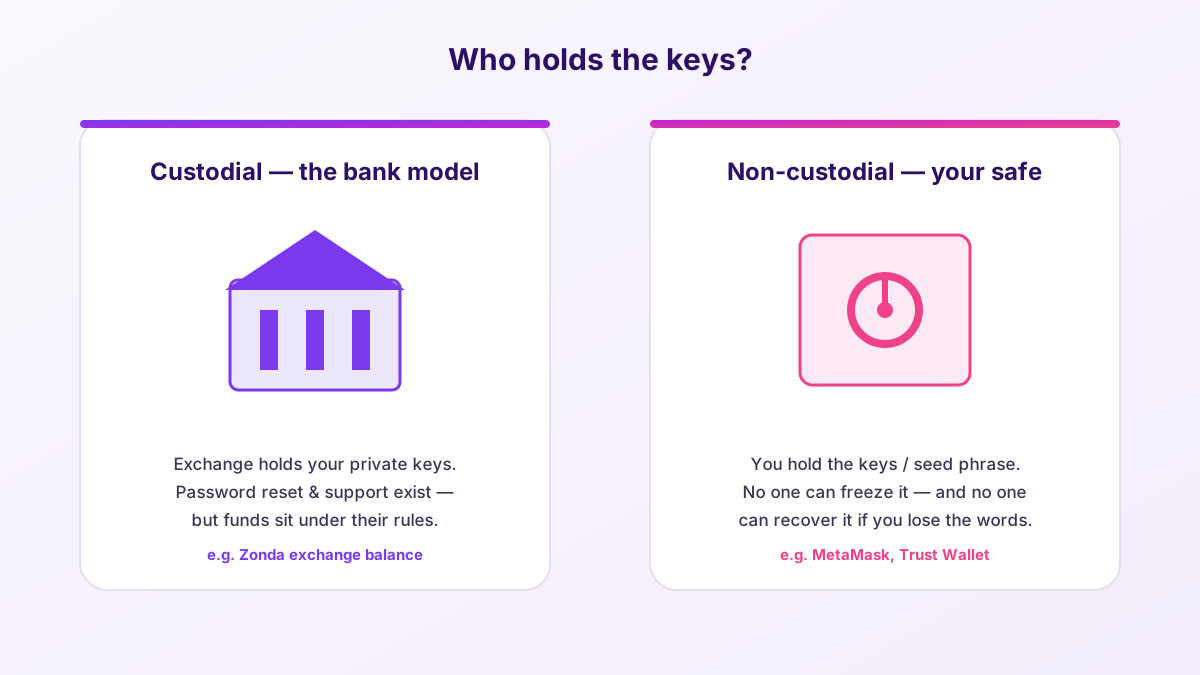
The upside of custodial is real and worth naming: if you forget your password, there is a reset flow; if someone breaks into your account, there may be freezes and support to help; you do not have to manage a seed phrase you could lose. For a beginner buying their first €100 of Bitcoin, that safety net is genuinely valuable, and I would not tell such a person to rush into self-custody they are not ready for.
The downside is equally real: your funds sit under the platform's rules and depend on its security and solvency. Regulation and an EU license — which Zonda has via BB Trade Estonia OÜ — reduce that risk but do not erase it. The rational conclusion is not "never use exchanges"; it is "match the amount to the model." Pocket money and active trading capital on the exchange; long-term savings in self-custody.
Depositing and withdrawing without losing coins
Moving crypto into and out of your Zonda wallet is routine once you respect two things: networks and test transactions.
Depositing crypto in. Zonda gives you a deposit address for each asset, tied to a specific network. Send from your other wallet or exchange on the matching network. Depositing fiat (EUR/PLN) is usually done by bank transfer and is the cheapest way to fund an account.
Withdrawing crypto out. This is where care pays. Choose the asset, paste the destination address, and — critically — select the correct network to match the receiving wallet.
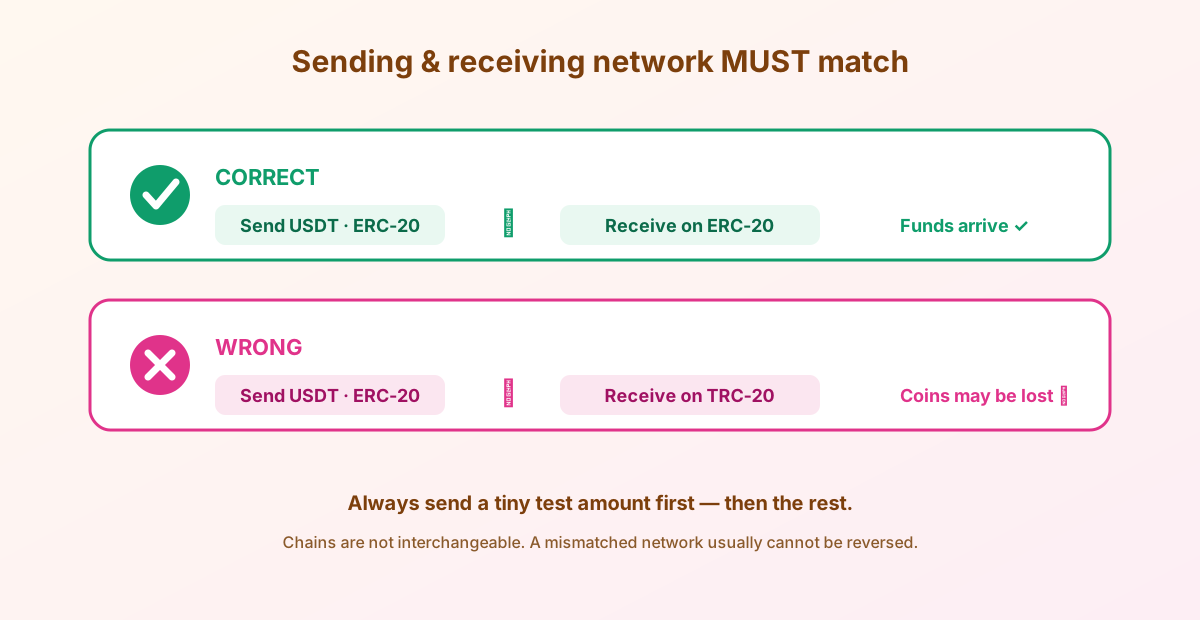
- Match the network on both sides exactly (ERC-20 to ERC-20, TRC-20 to TRC-20, and so on).
- Copy-paste the address and verify the first and last characters — never type it by hand.
- Watch for clipboard-hijacking malware that silently swaps the address.
- Send a small test amount first, confirm arrival, then send the rest.
- Remember the network fee is separate from any trading fee, and varies by chain.
⚠ A mismatched-network withdrawal is usually gone for good. There is no undo button and no support miracle. The test-transaction habit is the cheapest insurance in crypto — use it every time, even when you are in a hurry. Especially when you are in a hurry.
Exchange for access, your own keys for savings
The pairing that survives every cycle: a regulated platform for buying and selling, plus self-custody for what you are holding long term. Compare a secure, regulated exchange to anchor the on- and off-ramp.
Compare a secure platformAddresses, memos and tags: the detail that eats deposits
Networks are not the only trap when funds move. Some blockchains use an extra field — variously called a memo, destination tag, or message — alongside the address. Coins like XRP, XLM (Stellar), ATOM (Cosmos), and a few others rely on it when depositing to an exchange, because many users share one on-chain address and the memo tells the exchange which account the funds belong to.
Forget the memo when depositing to an exchange that requires one, and your coins can land in the platform's pooled address with no automatic way to know they are yours. Recovery is sometimes possible through support, sometimes not — either way it is a slow, stressful process you never want to start. The rule is boringly simple:
- When depositing, copy both the address and the memo/tag exactly, into their separate fields.
- Never put the memo in the address field or vice versa.
- If a coin shows a memo/tag field, assume it is mandatory unless the receiving platform explicitly says otherwise.
- As always, send a small test amount, confirm it credits correctly, then send the rest.
This is one more reason the test transaction is non-negotiable. A €5 test that arrives correctly — with the right network and the right memo — is proof your whole setup works before you trust it with real money. It is the cheapest insurance in crypto, and it costs you nothing but a few minutes of patience.
Securing your exchange wallet
Because the exchange wallet is protected by your account rather than a seed phrase, your job is to make that account impossible to hijack. The layers stack like this:
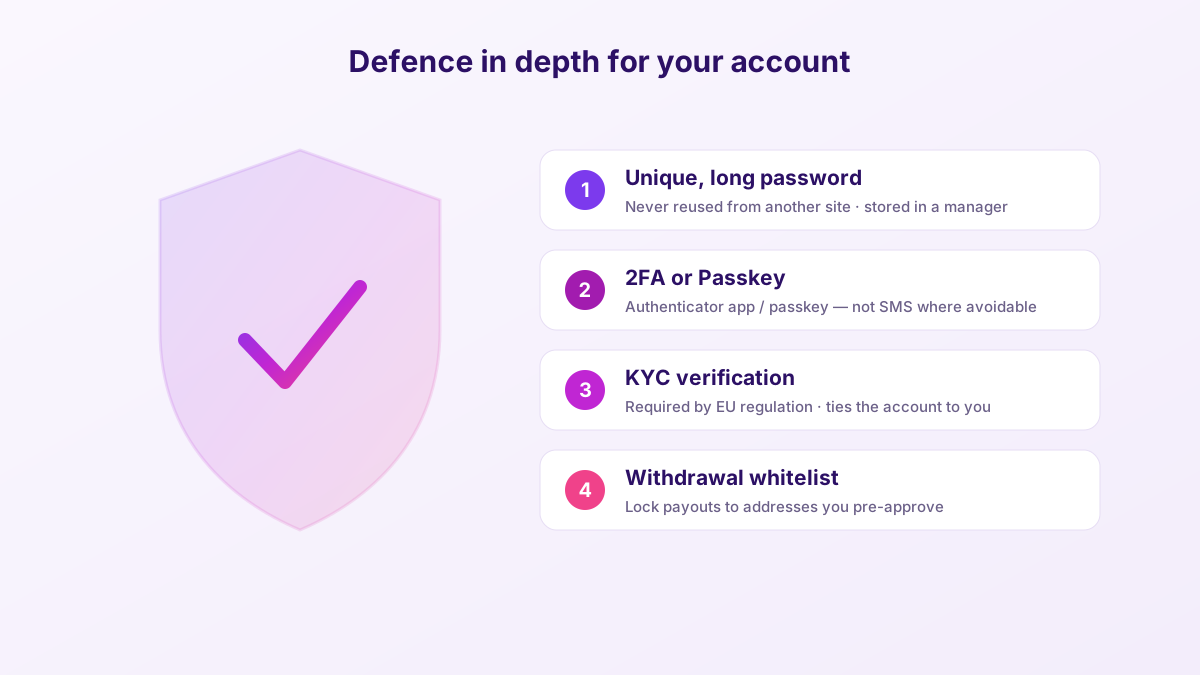
- Unique, long password stored in a password manager, never reused from another site.
- 2FA or passkey — an authenticator app or passkey beats SMS, which is vulnerable to SIM-swap attacks.
- Withdrawal whitelist where available, so payouts can only go to addresses you pre-approved.
- Anti-phishing discipline — reach the site by typing the URL, never through email links, and know that Zonda will never ask for your password or 2FA code.
The login & registration guide walks through enabling each of these and what to do if you are locked out. Do it before your first meaningful deposit, not after something goes wrong.
When and how to move to self-custody
Here is the part most exchange-affiliated content skips, because it points you off their platform. If your holdings grow past "money I could shrug off losing," it is time to learn self-custody. The progression looks like this:
| Stage | Where funds live | Who holds keys | Best for |
|---|---|---|---|
| Getting started | Zonda exchange wallet | Zonda (custodial) | Buying, selling, small balances, learning |
| Active DeFi / dApps | MetaMask / Trust Wallet (hot) | You (seed phrase) | On-chain apps, moderate amounts on the go |
| Long-term savings | Hardware wallet (cold) | You (offline keys) | Amounts you cannot afford to lose |
The hand-off is simple: withdraw from Zonda to your self-custody wallet's receiving address, on the correct network, with a test transaction first. Once the coins are in a wallet you control, the seed phrase becomes the whole game.
⚠ The seed phrase is the wallet. Write those 12 or 24 words on paper (or steel), store them offline in two separate places, and never type them into any website, app or "wallet validation" form. Every seed-entry prompt outside your own wallet's setup or recovery flow is theft in progress. No exchange, including Zonda, ever needs your self-custody seed phrase.
For larger sums, a hardware wallet is the logical destination: the keys are generated and kept on a device that never exposes them to your phone or PC. It is the difference between keeping cash in your pocket and keeping savings in a safe. If that is your next step, compare reputable hardware options and, just as importantly, keep a regulated exchange for the on- and off-ramp.
Hot vs cold: choosing your self-custody destination
Once you decide to move funds off the exchange, the next choice is what kind of self-custody wallet to use. The dividing line is whether the keys ever touch an internet-connected device.
A hot wallet — MetaMask, Trust Wallet, or a mobile wallet app — keeps its keys on your phone or computer. It is free, instant, and perfect for interacting with dApps, swapping small amounts, and everyday on-chain activity. The catch: because the device is online, malware and malicious approvals are a real threat. A hot wallet is a jacket pocket — fine for spending money, wrong for your savings.
A cold wallet — a hardware device like Ledger or Trezor — generates and stores the keys offline, on a chip that never exposes them to your phone or PC. You confirm transactions on the device itself, so even a compromised computer cannot sign without your physical approval. It costs money and adds a few seconds to each transaction, but for meaningful savings that trade-off is trivial. A cold wallet is the safe bolted to the floor.
The mature setup most experienced holders converge on is a three-layer one: a regulated exchange like Zonda for buying, selling and fiat rails; a hot wallet for active on-chain use; and a cold wallet for the bulk of long-term holdings. Money flows down the layers as amounts grow and up the layers when you need to spend or sell. No single point of failure holds everything — which is exactly the point.
The Zonda wallet, honestly
Custodial wallet strengths
- No seed phrase to lose — password reset and support exist.
- Integrated with trading, staking and Earn in one place.
- Backed by an EU-licensed operator with real security tooling.
- Great for beginners and for funds you are actively using.
Custodial wallet limits
- Not your keys — you rely on the platform's security and solvency.
- Withdrawals depend on the platform being operational.
- Not suitable as the only home for long-term savings.
- On-chain DeFi and dApps need a self-custody wallet anyway.
Use the custodial wallet for what it is good at, respect its limits, and graduate to self-custody as your stack grows. That two-track approach — exchange for access, your own keys for savings — is the most boring and most reliable strategy in crypto. Boring is a compliment here.
Frequently asked questions
Does Zonda Crypto have its own wallet?
Yes, in two senses: your exchange balance sits in a custodial wallet Zonda controls, and the ZND platform includes a ZND Wallet. Both are within the Zonda ecosystem and are not the same as a self-custody wallet where you alone hold the seed phrase.
Is the Zonda wallet custodial or non-custodial?
The exchange wallet is custodial — the platform holds the private keys. That means convenient recovery and support, but your funds depend on the platform. For non-custodial control, withdraw to a wallet like MetaMask, Trust Wallet or a hardware device.
Is there a seed phrase for my Zonda account?
No. A custodial exchange account is secured by your login, 2FA and KYC — not a seed phrase. Any site claiming you must enter a seed phrase to access Zonda is a phishing scam. Seed phrases belong only to self-custody wallets you set up yourself.
How do I withdraw crypto from Zonda safely?
Choose the asset, paste (never type) the destination address, and select the network that exactly matches the receiving wallet. Send a small test amount first, confirm it arrives, then send the rest. Network fees are separate and vary by chain.
Should I keep my crypto on Zonda or move it to a wallet?
Keep amounts you are actively using or could afford to lose on the exchange; move long-term savings to self-custody. A hardware wallet is the safest home for larger holdings. Match the amount to the security model.
Can I use the Zonda wallet with DeFi apps?
The custodial exchange wallet is not designed for direct on-chain DeFi. For dApps you need a self-custody wallet like MetaMask. You can withdraw from Zonda to that wallet, then connect it to the apps you use.